India & USA Centers: Mapusa ยท Panjim ยท Margao ยท Sanquelim ยท Pernem ยท Mysore ยท Las Vegas +91 93074 02403 info@avanteia.com
Creative Technology Program

Avanteia Certified AI:
Video Creator

4.9 (486 reviews)

DaVinci Resolve gives students the same professional tool used on Hollywood films โ€” for free. Then AI tools from Google, Runway, Descript, ElevenLabs and CapCut are woven through every phase โ€” not as a bonus module at the end, but as part of the actual editing workflow from Week 1. Students graduate with 6 real projects in their portfolio, a showreel, and the ability to deliver professional videos for clients immediately.

Created by Avanteia
3,260 Total Enrolled
31 Jul 2026 Last Updated
Enroll Now
AI Video Creator Certification Course
60 Hours Duration
Certificate On Completion
6 Projects Real Work
6 Phases Syllabus
60 Hours Duration
100% Free Tools Used
Certificate Included

Why This Course Exists

Video is the most consumed content format on the internet. Every business needs it. Every creator needs it. But most video editing courses teach tools โ€” they do not teach workflow. And zero percent of them teach AI. This course is built differently. DaVinci Resolve gives students the same professional tool used on Hollywood films โ€” for free. Then AI tools from Google, Runway, Descript, ElevenLabs and CapCut are woven through every phase โ€” not as a bonus module at the end, but as part of the actual editing workflow from Week 1. Students graduate with 6 real projects in their portfolio, a showreel, and the ability to deliver professional videos for clients immediately.

DaVinci Resolve CapCut AI Google Flow / Veo 3 Runway ML Descript ElevenLabs Suno / Udio Colour Grading

Learning Outcome

100% Free Tools ยท 100% Practical ยท AI at Every Stage ยท Real Projects Every Week. Graduate with 6 real projects, a professional showreel, and live Upwork and Fiverr profiles.

Free Tools Used โ€” Complete List

DaVinci Resolve 19

Professional editing, colour grading, VFX, audio mixing โ€” full feature free forever. Used in all phases. No limit โ€” fully free.

CapCut Desktop

AI auto-captions, background removal, AI B-roll suggestions, templates, mobile-style edits. Phase 3, 5. Generous free tier.

Google Flow / Veo 3

AI video generation from text prompts โ€” create B-roll, product shots, abstract visuals. Phase 3. Limited free credits.

Google Vids

AI video creation from presentations and documents โ€” script to video. Phase 3, 6. Free with Google account.

Runway ML

AI video generation, motion brush, inpainting, background replacement, slow motion AI. Phase 3, 4. 125 free credits/month.

Descript

Edit video by editing transcript text โ€” word-level precision, auto-captions, filler word removal. Phase 3, 5. 1 hour free/month.

ElevenLabs

AI voiceover in 30+ languages, voice cloning (with permission), text to speech. Phase 3, 5. 10,000 chars/month free.

Suno / Udio

AI music generation โ€” royalty-free background music from text description. Phase 4, 5. 50 songs/day free.

Kdenlive

Open source professional video editor โ€” backup tool, Linux alternative. Phase 1. Completely free.

OpenShot

Beginner-friendly open source editor โ€” good for quick cuts. Phase 1. Completely free.

Canva Video

Template-based video design, animated graphics, social format export. Phase 5. Free tier available.

Pexels / Pixabay

Free stock footage, photos โ€” royalty-free for commercial use. Used in all phases. Completely free.

Adobe Express

Free basic motion graphics, animated text, simple intros. Phase 2, 5. Free tier available.

Clipchamp

Windows built-in video editor โ€” great for quick edits and AI captions. Phase 1, 5. Free with Windows.

OBS Studio

Screen recording, live streaming recording โ€” free and open source. Phase 5. Completely free.

Syllabus โ€” 6 Phases, 60 Hours

Click any phase to expand and view every lab, the tool used, and what you produce.

๐ŸŽฌ Why Foundations First โ€” and Why Most Courses Skip This Incorrectly. Students who skip foundations make the same mistakes forever: wrong export settings, wrong frame rate, confused about why footage looks wrong. These 10 hours prevent every beginner mistake. Phase 1 uses Kdenlive, OpenShot, and Clipchamp intentionally โ€” simpler tools build the mental model. DaVinci Resolve starts in Phase 2 when students understand what a timeline, codec, and keyframe actually mean.

  • Lab 01 โ€” What is a frame? Frame rate (24fps, 30fps, 60fps) โ€” watch 3 clips at different frame rates side by side ยท YouTube (side-by-side browser tabs)
  • Lab 02 โ€” Resolution deep dive โ€” 1080p, 4K, aspect ratios (16:9, 9:16, 1:1) โ€” which format for which platform ยท Pexels โ€” download same clip in different resolutions
  • Lab 03 โ€” Codecs and containers โ€” what is H.264, H.265, ProRes, MP4 vs MOV โ€” why it matters for editing and export ยท VLC player โ€” inspect file properties of 5 different video files
  • Lab 04 โ€” File management system โ€” set up the professional folder structure every editor uses for every project ยท Windows File Explorer
  • Lab 05 โ€” First edit in Clipchamp โ€” import 3 clips, cut, rearrange, add a title, export as MP4 1080p ยท Clipchamp (Windows built-in)
  • Lab 06 โ€” Same edit in Kdenlive โ€” repeat the same 3-clip edit to understand timeline concept in a second tool ยท Kdenlive
  • Lab 07 โ€” Export settings deep dive โ€” resolution, bitrate, frame rate, codec โ€” what each setting does to file size and quality ยท Kdenlive export dialog
  • Lab 08 โ€” Keyboard shortcuts โ€” the 20 most important editing shortcuts that every professional editor uses daily ยท Any editor
  • Lab 09 โ€” Download and install DaVinci Resolve 19 โ€” verify it opens, explore the interface without editing anything ยท DaVinci Resolve 19
  • Lab 10 โ€” Watch 3 professionally edited videos and write a shot-by-shot breakdown: cuts, transitions, pacing, music sync ยท YouTube
You Produce
Frame Rate Notes Resolution Cheat Sheet Codec Comparison Table Folder Structure Template First Exported Clip Export Settings Reference Card Shortcut Cheat Sheet Shot Breakdown Document

๐ŸŽž๏ธ DaVinci Resolve โ€” The Professional Standard That Is Free. DaVinci Resolve is used to edit Avatar, Thor, The Batman, and thousands of commercial campaigns. The free version has no watermark, no export limit, and no feature restrictions for most professional work. Learning Resolve positions students above every editor who uses only CapCut or Premiere Elements.

Project for Phase 2 โ€” Travel/Lifestyle Highlight Video (2 minutes). Students edit a 2-minute highlight video using free stock footage from Pexels. Every lab in this phase adds one layer to the same project โ€” so by the end of Phase 2 the video is complete and portfolio-ready.

  • Lab 01 โ€” DaVinci interface tour โ€” Media Pool, Edit, Fusion, Color, Fairlight, Deliver pages โ€” what each does ยท DaVinci Resolve 19
  • Lab 02 โ€” Import footage โ€” create bins, label clips, mark in/out points, drag to timeline ยท DaVinci Resolve 19
  • Lab 03 โ€” The cut edit โ€” blade tool, trim tool, selection tool โ€” cut precisely on beat using the music waveform ยท DaVinci Resolve 19
  • Lab 04 โ€” Transitions โ€” video dissolve, dip to black, dip to white โ€” add purposefully, not randomly ยท DaVinci Resolve 19
  • Lab 05 โ€” Speed effects โ€” speed ramp: clip goes slow โ†’ fast โ†’ slow on a key moment, freeze frame, reverse ยท DaVinci Resolve 19 speed editor
  • Lab 06 โ€” Titles and text โ€” built-in title templates, custom font, animated lower thirds, end card ยท DaVinci Resolve 19 Titles
  • Lab 07 โ€” Fusion basics โ€” create one motion graphic element: animated logo reveal using nodes ยท DaVinci Resolve Fusion
  • Lab 08 โ€” Audio import โ€” add background music from Suno AI generated track, sync to beats ยท DaVinci Resolve + Suno
  • Lab 09 โ€” Audio mixing basics โ€” dialogue volume, music ducking, fade in/out, audio levels at -12 to -6 LUFS ยท DaVinci Fairlight
  • Lab 10 โ€” Multi-camera edit โ€” sync 2 camera angles using audio waveform, cut between them ยท DaVinci Resolve multi-cam
  • Lab 11 โ€” J-cut and L-cut โ€” audio starts before/after the video cut โ€” professional technique used in every documentary ยท DaVinci Resolve 19
  • Lab 12 โ€” Stabilisation โ€” apply DaVinci's built-in stabiliser to shaky handheld footage ยท DaVinci Resolve Inspector
  • Lab 13 โ€” Noise reduction on video โ€” apply temporal noise reduction to underexposed indoor footage ยท DaVinci Resolve Motion Effects
  • Lab 14 โ€” Export for YouTube โ€” H.264, 1920ร—1080, 30fps, high bitrate โ€” render and verify the file plays correctly ยท DaVinci Resolve Deliver
  • Lab 15 โ€” Export for Instagram Reels โ€” reframe to 9:16, 1080ร—1920, 30fps โ€” same content different aspect ratio ยท DaVinci Resolve Deliver
You Produce
2-Minute Travel Highlight Video Speed Ramp + Freeze Frame Animated Logo Reveal Balanced Audio Mix Multi-Cam Sequence YouTube + Reels Exports

๐Ÿค– AI Changes the Workflow Completely โ€” This Is the Phase That Separates 2026 Editors. In 2023 a video editor who knew DaVinci Resolve was competitive. In 2026 a video editor who knows DaVinci Resolve AND AI tools is 5x faster, 3x more versatile, and can offer services no one-tool editor can. This phase is not about replacing creativity โ€” it is about using AI for the repetitive work so creative energy goes where it matters.

Lab 1โ€“3: Google Flow + Veo 3 โ€” AI Video Generation

  • Lab 01 โ€” Google Flow overview โ€” what Veo 3 can do: generate video from text, extend clips, change backgrounds ยท Google Flow (flow.google.com)
  • Lab 02 โ€” Prompt engineering for video AI โ€” how to write prompts that produce usable B-roll footage ยท Google Flow / Veo 3
  • Lab 03 โ€” Integrate AI-generated B-roll into DaVinci Resolve โ€” blend AI footage with real footage seamlessly ยท DaVinci Resolve + Google Flow output

Lab 4โ€“5: Runway ML โ€” AI Video Manipulation

  • Lab 04 โ€” Runway Gen-3 Alpha โ€” generate video from text and image prompts, use motion brush to animate still photos ยท Runway ML (runwayml.com)
  • Lab 05 โ€” Runway background removal and replacement โ€” remove background from video without green screen ยท Runway ML

Lab 6โ€“7: Descript โ€” Edit Video by Editing Text

  • Lab 06 โ€” Import a talking-head video into Descript โ€” auto-transcription generates, edit the text to cut filler words ยท Descript
  • Lab 07 โ€” Descript AI features โ€” remove filler words automatically, overdub (fix a sentence without re-recording), Studio Sound ยท Descript

Lab 8: CapCut AI โ€” Speed Editing for Social

  • Lab 08 โ€” CapCut Desktop AI tools โ€” auto-captions with word-level animation, AI background removal, auto-reframe for different aspect ratios ยท CapCut Desktop

Lab 9โ€“10: ElevenLabs + Suno โ€” AI Voice and Music

  • Lab 09 โ€” ElevenLabs voiceover โ€” generate professional narration for a 60-second explainer video in 3 different voices ยท ElevenLabs (elevenlabs.io)
  • Lab 10 โ€” Suno AI music โ€” generate 4 custom background tracks (cinematic, upbeat, corporate, emotional) for different video moods ยท Suno (suno.com)
You Produce
5 AI-Generated Clips Prompt Formula Document 50% Real / 50% AI B-Roll Video Descript-Edited Interview Captioned Social Video in 3 Ratios AI Voiceover + 4 Music Tracks
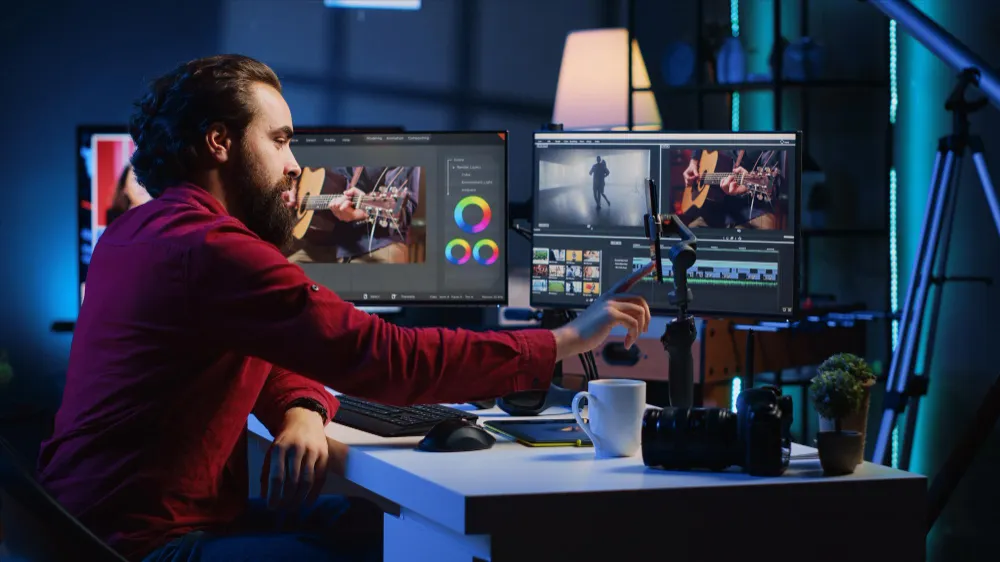
๐ŸŽจ Colour Grading โ€” The Skill That Makes Average Footage Look Cinematic. Colour grading is what makes the difference between a video that looks 'nice' and one that stops people scrolling. DaVinci Resolve's colour page is the most powerful free colour grading tool on the planet โ€” used by Netflix, HBO, and Disney. This phase teaches it properly.

  • Lab 01 โ€” Colour science fundamentals โ€” exposure, contrast, saturation, temperature, tint โ€” what each control actually does ยท DaVinci Resolve Colour Page
  • Lab 02 โ€” Scopes โ€” Waveform, Parade, Vectorscope, Histogram โ€” read them to know if exposure is correct without trusting your screen ยท DaVinci Resolve Scopes
  • Lab 03 โ€” Node-based colour โ€” primary correction node, secondary node, qualifier node โ€” build a 3-node correction workflow ยท DaVinci Resolve Node Editor
  • Lab 04 โ€” Power Windows + Tracking โ€” vignette, radial gradient, polygon mask โ€” track a moving subject to grade it separately ยท DaVinci Resolve Power Windows
  • Lab 05 โ€” LUTs โ€” what they are, how to apply creative LUTs, download 10 free LUTs and test on different footage types ยท DaVinci Resolve LUT browser + free LUTs from Pexels/Luts.io
  • Lab 06 โ€” Cinematic grade โ€” orange and teal look, film grain, slight crush of blacks โ€” full cinematic grade from flat footage ยท DaVinci Resolve
  • Lab 07 โ€” Runway AI colour match โ€” use Runway to match the colour grade of one clip to a reference image or frame ยท Runway ML colour match
  • Lab 08 โ€” Fairlight audio โ€” dialogue EQ, compression, reverb removal, de-esser โ€” clean up a noisy interview recording ยท DaVinci Resolve Fairlight
  • Lab 09 โ€” Music mixing โ€” sidechain ducking: music automatically turns down when someone speaks, turns up in gaps ยท DaVinci Resolve Fairlight
  • Lab 10 โ€” Sound design โ€” add ambience, foley sounds (footsteps, paper rustle, door), and sound effects to a silent B-roll sequence ยท DaVinci Resolve Fairlight + Pixabay sound effects
You Produce
Personal Colour Reference 3-Node Colour Grade Tracked Power Window Personal LUT Library Full Cinematic Grade Broadcast-Clean Dialogue Sound-Designed B-Roll

๐Ÿ“ฑ Every Platform Has Different Rules โ€” Most Editors Do Not Know This. A YouTube editor who cannot cut a Reel loses half the market. An editor who cannot produce a corporate talking-head video loses the business client market. This phase teaches the specific techniques, pacing, and export requirements that make content perform on each platform.

5A โ€” YouTube Long-Form (2 hours)

  • Lab 01 โ€” YouTube structure โ€” hook (0โ€“3s), intro, content, mid-roll retention, CTA, end screen โ€” understand why viewers drop off ยท YouTube Analytics (demo account) + DaVinci
  • Lab 02 โ€” YouTube thumbnail frame โ€” colour grade a single frame specifically for thumbnail use, export as JPG ยท DaVinci Resolve

5B โ€” Instagram Reels / YouTube Shorts / TikTok (2 hours)

  • Lab 03 โ€” Vertical video editing โ€” 9:16 safe zones, text placement, hook in first 1 second, captions, trending audio sync ยท CapCut Desktop + DaVinci Resolve
  • Lab 04 โ€” AI Reels workflow โ€” use CapCut AI to auto-generate a Reel from long-form footage: cut highlights automatically ยท CapCut AI Auto-Cut feature

5C โ€” Corporate / Brand Video (2 hours)

  • Lab 05 โ€” Corporate video structure โ€” problem/solution format, interview cutaways, b-roll coverage, lower thirds, brand colours ยท DaVinci Resolve
  • Lab 06 โ€” AI-generated corporate B-roll โ€” use Google Flow to generate office, business, and technology visuals for stock-free corporate video ยท Google Flow / Veo 3

5D โ€” Podcast Video Editing (2 hours)

  • Lab 07 โ€” Podcast video setup โ€” multi-cam sync, auto-switching on speaker detection, lower thirds for guest names, chapter markers ยท DaVinci Resolve
  • Lab 08 โ€” Descript podcast workflow โ€” transcript edit, remove crosstalk, clip highlights, create audiogram for Instagram ยท Descript

5E โ€” Event Video (2 hours)

  • Lab 09 โ€” Event highlight reel โ€” emotional arc, music-driven edit, mix of speeches/moments/reactions, fast paced vs slow paced sections ยท DaVinci Resolve + Suno AI music
  • Lab 10 โ€” Same-day edit workflow โ€” how to deliver a finished video within hours of filming an event ยท DaVinci Resolve optimised media + smart render
You Produce
5-Minute YouTube Video 5 Thumbnail Frames 60-Second Reel 2-Minute Brand Explainer Podcast Highlight + Audiogram 90-Second Event Reel

๐ŸŽฏ The Capstone โ€” A Complete Video Production from Brief to Delivery. Students receive a real client brief (assigned by Avanteia) and produce a complete professional video from scratch โ€” including pre-production planning, AI tool integration, colour grade, audio mix, and delivery in multiple formats. This is the portfolio centrepiece.

  • Lab 01 โ€” Showreel assembly โ€” select best 6โ€“8 moments from all Phase 1โ€“5 projects, cut to music, add text overlays ยท DaVinci Resolve
  • Lab 02 โ€” Freelance pricing โ€” hourly vs per-project, short-form (Reels) pricing, long-form (YouTube) pricing, corporate video pricing ยท Upwork, Fiverr rate research
  • Lab 03 โ€” Upwork and Fiverr profile setup โ€” portfolio video embedded, specialisation stated, gig pricing set ยท Upwork + Fiverr
  • Lab 04 โ€” Client brief to delivery workflow โ€” intake form, revision policy, file handover, invoice template ยท Notion + Google Docs
  • Lab 05 โ€” Capstone โ€” receive assigned brief, produce complete video using minimum 3 AI tools + DaVinci โ€” present to panel ยท DaVinci Resolve + Google Flow + ElevenLabs + Suno + CapCut AI
You Produce
60โ€“90 Second Showreel Personal Rate Card Live Upwork + Fiverr Profiles Client Workflow Document Capstone Video in 3 Formats

What Students Can Do After This Course

Professional Editing

Edit professional-quality videos in DaVinci Resolve โ€” the same tool used in Hollywood post-production.

AI Video Generation

Generate AI video content using Google Flow (Veo 3), Runway ML, and CapCut AI features.

Cinematic Colour

Colour grade footage to cinematic standard using DaVinci's node-based colour science.

Audio Mastery

Mix and master audio: dialogue, music, sound effects, noise removal โ€” in Fairlight (inside DaVinci).

5x Faster Editing

Edit videos 5x faster using Descript โ€” edit the transcript, video follows automatically.

AI Voice, Music & B-Roll

Create AI voiceovers with ElevenLabs, AI music with Suno/Udio, AI B-roll with Runway.

Every Content Format

Produce YouTube videos, Instagram Reels, YouTube Shorts, corporate videos, podcast video.

Showreel & Portfolio

Build a showreel and portfolio that demonstrates range across multiple formats and styles.

Freelance Ready

Freelance on Upwork/Fiverr โ€” pricing, client briefing, delivery, revision workflow.

Phase Summary โ€” 60 Hours

Foundations โ€” 10 hrs

Shot breakdown, export settings cheat sheet, first edited clip. Key tool: Kdenlive / Clipchamp.

DaVinci Core Editing โ€” 15 hrs

2-minute travel highlight video โ€” complete with grade, audio, titles. Key tool: DaVinci Resolve 19.

AI Workflow โ€” 10 hrs

AI B-roll video, Descript-edited interview, AI voice explainer, AI music library. Key tools: Google Flow ยท Runway ยท Descript ยท ElevenLabs.

Colour + Audio โ€” 10 hrs

Colour graded short film sequence + professionally mixed audio scene. Key tools: DaVinci Colour + Fairlight.

Content Formats โ€” 10 hrs

5 videos: YouTube, Reel, Corporate, Podcast highlight, Event reel. Key tools: DaVinci + CapCut AI + Descript.

Portfolio + Capstone โ€” 5 hrs

Showreel + Upwork profile + Capstone client video in 3 formats. Key tool: full stack โ€” all tools.

Portfolio at Graduation

Travel/Lifestyle Highlight Video

2 minutes, DaVinci graded โ€” full editing, colour grading, audio mixing, export โ€” core professional skill.

AI B-Roll Integration Video

Real + Google Flow footage blended โ€” AI tool fluency, the differentiator in the 2026 job market.

Descript-Edited Interview

Before/after comparison โ€” efficiency: transcript editing + AI noise removal + overdub.

Corporate Brand Explainer

2 minutes, AI B-roll, ElevenLabs voice โ€” business client capability, the most lucrative freelance niche.

Podcast Highlight + Audiogram

Podcast market โ€” growing rapidly, editors needed at every level.

Event Highlight Reel

90 seconds, emotional arc โ€” range: music-driven editing, storytelling, pacing control.

YouTube Video + Thumbnails

With chapters and thumbnail frames โ€” YouTube market, consistent recurring income for editors.

Instagram Reel

60 seconds with animated captions โ€” social media market, every brand needs this every week.

Showreel

90 seconds, all best moments โ€” the first thing every client watches, the portfolio centrepiece.

Capstone Client Video

Delivered in 3 formats โ€” demonstrates client workflow: brief โ†’ delivery โ†’ revision โ€” job-ready proof.

Assessment & Certification

Weekly Lab Projects โ€” 35%

Each phase project submitted to instructor โ€” reviewed for technical quality and creative execution.

AI Workflow Integration โ€” 25%

Demonstrate AI tools used in minimum 3 projects โ€” document which AI did what.

Showreel โ€” 20%

60โ€“90 second professional showreel assembled from best moments across all 6 phases.

Capstone Video โ€” 20%

Complete client brief video โ€” 3 format exports + AI workflow document.

Career Outcomes

Freelance Video Editor

โ‚น3Lโ€“โ‚น20L/yr โ€” Upwork, Fiverr, direct clients.

Social Media Editor

โ‚น4Lโ€“โ‚น12L/yr โ€” Agencies, D2C brands, influencers.

YouTube Editor

โ‚น2Lโ€“โ‚น15L/yr โ€” Channels, content studios, MCNs.

Corporate Video Editor

โ‚น6Lโ€“โ‚น18L/yr โ€” Ad agencies, production houses.

Podcast Video Producer

โ‚น3Lโ€“โ‚น12L/yr โ€” Podcast studios, remote work.

AI Content Creator

โ‚น5Lโ€“โ‚น25L/yr โ€” AI-first studios, brand channels.

Every ACAVC Graduate Leaves With

10 portfolio videos across 6 formats ยท a professional showreel ยท DaVinci Resolve mastery ยท Google Flow + Runway + Descript + ElevenLabs in their workflow

Upwork and Fiverr profiles live ยท ACAVC certification ยท the ability to deliver for any client on any platform โ€” starting immediately.

What Our Students Say

"

I had used CapCut before, but DaVinci Resolve changed everything โ€” colour grading and Fairlight made my videos look and sound like the ones I used to watch and wonder how they were made.

Student Name Freelance Video Editor, Goa
"

The AI phase was the reason I joined and it delivered. Generating B-roll in Google Flow and cutting an interview in Descript cut my delivery time in half on my very first paid project.

Student Name Social Media Editor, Goa
"

Finishing with a showreel and a rate card made the difference. I stopped guessing what to charge, and I had something to send the moment a client asked what I had done before.

Student Name Corporate Video Editor, Goa

Ready to Create Videos
Clients Will Pay For?

60 hours, 6 phases, 6 real projects and a showreel โ€” using tools that cost nothing. Talk to us about the next batch.

Enroll Now